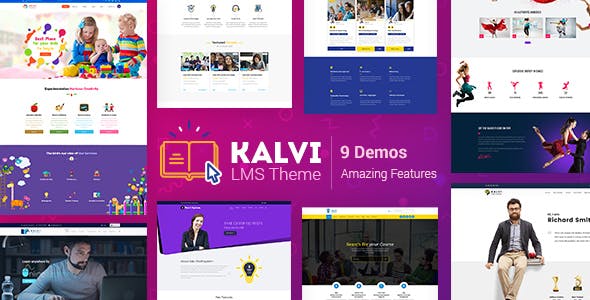
Kalvi LMS – Education WordPress Theme | vs 4.6
₦5,500.00
- Quality assurance by WPMagic Click
- Free future updates
- Fast download
- Priority support

Kalvi LMS Education WordPress Theme
Education, Courses WordPress Theme for Schools, Education Consultant, LMS Education
Kalvi LMS Education WordPress Theme a highly Responsive Educational WordPress theme is suitable for Teaching, Tutoring, Educational Services. It powers your School, Education centers, elearning system, Learning academy, Training center, University, course marketplace, and educational institution website.
The best Multi Course WordPress education website template of ThemeForest has features which include Course Information, Student plans, Teacher profile, Course search, Account page, Student and Tutor profile, advanced assessment options such as grades and point systems
The best WordPress theme for educational institutions is for websites like Academies, Learning Institutes, Colleges, Schools, and Universities. Pick the right course and complete with certifications.
SHORTCODES
Kalvi LMS Education WordPress Theme is really fully integrated with the Visual Composer WordPress plugin. So each shortcode of our theme has been well designed and created as easy to use. So that, you can build any section or layout easily with or without coding knowledge. A different set of options are also available with the shortcode elements which make you easy to customize the section in visual mode. You can some advanced shortcodes of the theme as follow.
Kalvi LMS Education WordPress Theme Shortcodes
- Blockquotes
- Buttons & Lists
- Carousel
- Columns
- Contact Info
- Content Shortcodes
- Custom Posts
- Fancy Boxes
- Icon Boxes and much more.
LMS Shortcodes
- Class Search
- Class Instant Search
- Free Classes
- Paid Classes
- Upcoming Classes
- Recent Classes
- Most Membered Classes
- Highest Rated Classes
- Instructors Shortcodes
- Instructor Classes
- Class Grid & List
- Class Listings
- Class Listings Isotope
- Class Carousel
- Package Shortcodes
- Course Search
- Course Instant Search
- Free Courses
- Paid Courses
- Upcoming Courses
- Recent Courses
- Most Membered Courses
- Highest Rated Courses
- Instructor Courses
- Course Categories
- Course Grid
- Course List
- Course Listings Isotope
- Course Carousel
🔹 FOR WORDPRESS THEMES
HOW TO USE
- After Purchase on wpmagicclick.com.ng
- Login to wpmagicclick.com.ng
- Go to your My account
- Go to Download
- Download the plugin ZIP file.
- Go to WordPress Dashboard
- Appearance
- Themes
- Add New
- Upload Theme.
- Upload the ZIP File
- Click Install
- Activate after Installation
- Import demo content (if included).
- Customize via Appearance → Customize or Elementor.
🔹 FOR WORDPRESS PLUGINS HOW TO USE
- After Purchase on wpmagicclick.com.ng
- Login to wpmagicclick.com.ng
- Go to your My account
- Go to Orders
- Download the plugin ZIP file.
- Login to Your WordPress Dashboard
- Go to Plugins
- Add New
- Upload Plugin.
- Upload the ZIP and click Install → Activate.
- Open the plugin settings from the left sidebar menu.
- Configure options and start using.