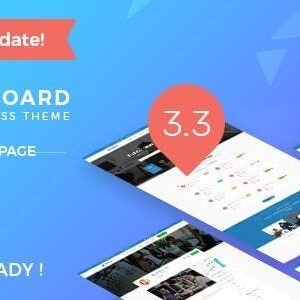
InJob – Multi Features Premium WordPress Theme for Recruitment

₦5,500.00
- Quality assurance by WPMagic Click
- Free future updates
- Fast download
- Priority support

InJob: The Ultimate WordPress Solution for Recruitment & HR
InJob is a comprehensive WordPress theme engineered specifically for recruitment agencies, corporate hiring departments, and professional job boards. Operating under the General Public License (GPL), this theme offers a cost-effective way to launch a premium hiring platform without restriction. Whether you are connecting headhunters with talent or managing internal hiring, InJob provides the infrastructure you need.
Why Choose InJob?
Unlike standard themes, InJob transforms your WordPress installation into a fully functioning employment portal. It bridges the gap between companies and job seekers with dedicated front-end dashboards, allowing for seamless job submissions, application tracking, and resume management.
Key Features & Benefits:
- Total Recruitment System: A complete toolkit for managing job listings and applications.
- User-Centric Design: Separate, intuitive dashboards for both Employers and Candidates.
- Monetization Ready: Fully integrated with WooCommerce, allowing you to sell premium job spots or subscription packages.
- Mobile-First Approach: Fully responsive design ensures your site performs perfectly on smartphones and tablets.
- SEO Optimized: Clean coding helps your job board rank higher in search results.
- Unlimited Freedom: 100% GPL licensed, meaning you can install it on as many domains as you like.
The wpshop.net Advantage
By acquiring InJob through wpshop.net, you secure lifetime free updates and limited support, ensuring your site stays compatible with future WordPress versions.
Installation & Setup
Getting started is simple. Upload the theme via your WordPress dashboard, activate it, and use the “One-Click Demo Import” to instantly populate your site with a professional layout. From there, you can customize listings and payment gateways to suit your business model.
🔹 FOR WORDPRESS THEMES
HOW TO USE
- After Purchase on wpmagicclick.com.ng
- Login to wpmagicclick.com.ng
- Go to your My account
- Go to Download
- Download the plugin ZIP file.
- Go to WordPress Dashboard
- Appearance
- Themes
- Add New
- Upload Theme.
- Upload the ZIP File
- Click Install
- Activate after Installation
- Import demo content (if included).
- Customize via Appearance → Customize or Elementor.
🔹 FOR WORDPRESS PLUGINS HOW TO USE
- After Purchase on wpmagicclick.com.ng
- Login to wpmagicclick.com.ng
- Go to your My account
- Go to Orders
- Download the plugin ZIP file.
- Login to Your WordPress Dashboard
- Go to Plugins
- Add New
- Upload Plugin.
- Upload the ZIP and click Install → Activate.
- Open the plugin settings from the left sidebar menu.
- Configure options and start using.
✓ Quality assurance by WPMagic Click
✓ Free future updates
✓ Fast download
✓ Priority support
::::::::::::::::::::::::::::::::::::::::::::::::::::::::::
| Last Update | 18 July, 2025 |
| Live Preview: | X Removed |
| License | GPL |
::::::::::::::::::::::::::::::::::::::::::::::::::::::::::