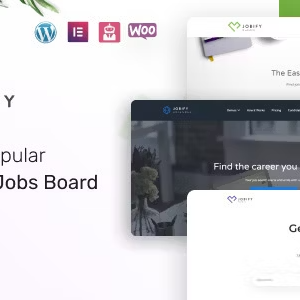
Jobify – Job Board Premium WordPress Theme | vs 4.3.1

₦5,500.00
- Quality assurance by WPMagic Click
- Free future updates
- Fast download
- Priority support

Jobify: The Easiest Way to Build a Professional Job Board
Jobify transforms WordPress into a powerful recruitment platform, designed to bridge the gap between employers and top talent. Known for its usability, this theme allows you to launch a fully operational job community in minutes, not days.
Streamlined Setup & User Experience
Forget complex coding. Jobify is famous for its “Five-Minute Setup,” handling the heavy lifting so you can focus on connecting businesses with candidates.
- Live Search: Features real-time filtering to help candidates find the perfect role instantly.
- Mobile Optimized: Your users are on the go. Jobify ensures your site looks and functions perfectly on smartphones and tablets, allowing users to browse and apply from the palm of their hand.
- Total Control: Customize your homepage layout and design settings easily to match your brand.
Monetization & Resume Power
Turn your job board into a business. You can easily charge employers for premium job listings and approve submissions via a simple dashboard. Additionally, the theme supports advanced resume indexing (via plugin), allowing search engines and recruiters to scan CVs for specific keywords, automating the headhunting process.
Top-Tier Integrations
Jobify is built to work seamlessly with the best tools in the ecosystem:
- Core Engine: Fully integrated with the WP Job Manager plugin.
- Forms: Supports NinjaForms, Gravity Forms, and Contact Form 7.
- Expansion: Compatible with Resume Manager, Listing Payments, and Slider Revolution (Note: Some premium plugins are sold separately).
🔹 FOR WORDPRESS THEMES
HOW TO USE
- After Purchase on wpmagicclick.com.ng
- Login to wpmagicclick.com.ng
- Go to your My account
- Go to Download
- Download the plugin ZIP file.
- Go to WordPress Dashboard
- Appearance
- Themes
- Add New
- Upload Theme.
- Upload the ZIP File
- Click Install
- Activate after Installation
- Import demo content (if included).
- Customize via Appearance → Customize or Elementor.
🔹 FOR WORDPRESS PLUGINS HOW TO USE
- After Purchase on wpmagicclick.com.ng
- Login to wpmagicclick.com.ng
- Go to your My account
- Go to Orders
- Download the plugin ZIP file.
- Login to Your WordPress Dashboard
- Go to Plugins
- Add New
- Upload Plugin.
- Upload the ZIP and click Install → Activate.
- Open the plugin settings from the left sidebar menu.
- Configure options and start using.
✓ Quality assurance by WPMagic Click
✓ Free future updates
✓ Fast download
✓ Priority support
::::::::::::::::::::::::::::::::::::::::::::::::::::::::::
| Last Update | 18 July, 2025 |
| Live Preview: | Here |
| License | GPL |
::::::::::::::::::::::::::::::::::::::::::::::::::::::::::