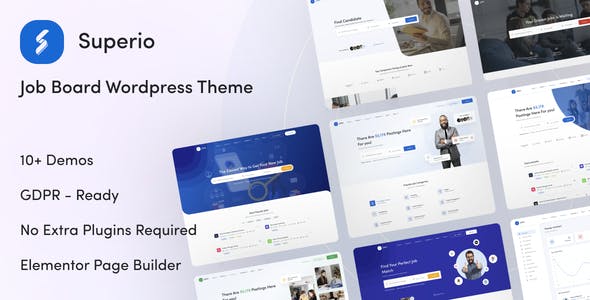
Superio – Job Board Premium WordPress Theme | vs1.3.34
₦5,500.00
- Quality assurance by WPMagic Click
- Free future updates
- Fast download
- Priority support

Superio – Job Board WordPress Theme
Superio is a full-featured job board theme for WordPress, ideal for creating modern job listing sites, recruitment portals, and career platforms. With its responsive design and built-in job board tools, you can run a professional HR, hiring, or freelance marketplace site without custom development.
Whether you’re building a simple job listing site or a monetized recruitment platform, Superio gives you the structure to manage jobs, candidates, and employers in one place.
Superio Job Board Theme – Key Features
- Fields Manager
Customize and manage job, candidate, and employer fields so your forms match your niche and data needs. - Job Import Integrations
Import listings from major job aggregators to quickly populate your site:- Indeed
- CareerBuilder
- Careerjet
- ZipRecruiter
- Job Visibility Controls (Restrict Job)
Choose who can see job detail pages:- Everyone (guests and logged-in users)
- Only registered users
- Only registered candidates
- Completely hidden
- Candidate Visibility Controls (Restrict Candidate)
Fine-tune access to candidate profiles:- Everyone (guests and logged-in users)
- Only registered users
- Only employers who received applications from that candidate
- All registered employers
- Only employers with an active CV/viewing package
These controls let you shape your business model—open-access, members-only, or package-based—while protecting candidate data and encouraging employers to upgrade.
…and more features are included to help you build a scalable, revenue-ready job portal with WordPress.
Get Superio Job Board WordPress Theme today and launch a flexible, professional recruitment website on your own domain.
🔹 FOR WORDPRESS THEMES
HOW TO USE
- After Purchase on wpmagicclick.com.ng
- Login to wpmagicclick.com.ng
- Go to your My account
- Go to Download
- Download the plugin ZIP file.
- Go to WordPress Dashboard
- Appearance
- Themes
- Add New
- Upload Theme.
- Upload the ZIP File
- Click Install
- Activate after Installation
- Import demo content (if included).
- Customize via Appearance → Customize or Elementor.
🔹 FOR WORDPRESS PLUGINS HOW TO USE
- After Purchase on wpmagicclick.com.ng
- Login to wpmagicclick.com.ng
- Go to your My account
- Go to Orders
- Download the plugin ZIP file.
- Login to Your WordPress Dashboard
- Go to Plugins
- Add New
- Upload Plugin.
- Upload the ZIP and click Install → Activate.
- Open the plugin settings from the left sidebar menu.
- Configure options and start using.
✓ Quality assurance by WPMagic Click
✓ Free future updates
✓ Fast download
✓ Priority support
::::::::::::::::::::::::::::::::::::::::::::::::::::::::::
| Last Update | 1 Jan, 2025 |
| Live Preview: | Here |
| License | GPL |
::::::::::::::::::::::::::::::::::::::::::::::::::::::::::