Bricksforge WordPress Plugin |vs3.1.8.3
₦5,500.00
- Quality assurance by WPMagic Click
- Free future updates
- Fast download
- Priority support

Important: Activating this product is quite complex, so always keeping it in its latest version in a timely manner could eventually be affected. If you are not willing to wait if necessary, please do not purchase this product.
Bricksforge WordPress Plugin
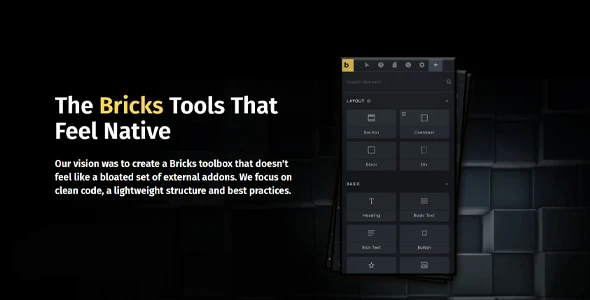
Our vision was to create a Bricks toolbox that didn’t feel like a bloated set of external plugins. We focus on clean code, a lightweight framework, and best practices. Bricksforge WordPress Plugin is a perfect complement to the Bricks product.
Some Features of Bricksforge WordPress Plugin
- Compatibility: We make sure that every line of code works in harmony with Bricks. This is noticeable in performance and usability.
- Vainilla J.S.:Bricks has kill jQuery! Marvelous! Of course, we are going the same way to offer the best possible performance.
- Lightweight code: One <a> tag doesn’t need twenty div containers around it. Is there anything else to say about this?
- Nestable Elements: The Nested Elements API is just awesome! We want our elements to be nestable wherever it makes sense!
- Selective Upload: Activate only the features you need for your project. In this way, everything becomes clear.
- White Label: With the Bricksforge WordPress Plugin, make a professional impression by customizing the Bricksforge name and look and feel to your client’s user interface.
- and much more!
Purchase the Bricksforge WordPress Plugin today.
This Product is a GNU / GPL license, click here for more info. To contact us, visit our support page
🔹 FOR WORDPRESS THEMES
HOW TO USE
- After Purchase on wpmagicclick.com.ng
- Login to wpmagicclick.com.ng
- Go to your My account
- Go to Download
- Download the plugin ZIP file.
- Go to WordPress Dashboard
- Appearance
- Themes
- Add New
- Upload Theme.
- Upload the ZIP File
- Click Install
- Activate after Installation
- Import demo content (if included).
- Customize via Appearance → Customize or Elementor.
🔹 FOR WORDPRESS PLUGINS HOW TO USE
- After Purchase on wpmagicclick.com.ng
- Login to wpmagicclick.com.ng
- Go to your My account
- Go to Orders
- Download the plugin ZIP file.
- Login to Your WordPress Dashboard
- Go to Plugins
- Add New
- Upload Plugin.
- Upload the ZIP and click Install → Activate.
- Open the plugin settings from the left sidebar menu.
- Configure options and start using.
✓ Quality assurance by WPMagic Click
✓ Free future updates
✓ Fast download
✓ Priority support
::::::::::::::::::::::::::::::::::::::::::::::::::::::::::
| Last Update | |
| Live Preview: | Here |
| License | GPL |
| GPL | Read Me |
::::::::::::::::::::::::::::::::::::::::::::::::::::::::::