
Aora – Home And Lifestyle Theme | vs 1.3.16
₦5,500.00
- Quality assurance by WPMagic Click
- Free future updates
- Fast download
- Priority support

Aora Home And Lifestyle Theme
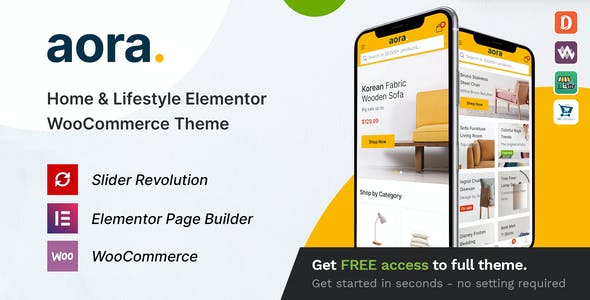
Aora Home And Lifestyle Theme is a WordPress Theme exclusively built for Home & Lifestyle, arts, Crafts & Handmade product websites.
Aora Home And Lifestyle Theme rocks a handy mobile menu which will take your shoppers to their desired product effortlessly. In total, you receive a whopping three hundred pages and get to benefit from the one-click demo content import. Enjoy the multiple contents now and have an eCommerce page up in close to no time.
From mesmerizing home and product pages to several contact sections, a nifty checkout process and even a blog system, it is all there. And no, you do not need to be an experienced coder to be able to work with Aora Home And Lifestyle Theme. You do not even need to touch a single line of code, Aora Home And Lifestyle Theme makes customizing super newbie-friendly.
Other treats of Aora Home And Lifestyle Theme are Slider Revolution, various shop and product layouts, speedy loading, search engine optimization, and multi-language and currency support. With the enormous set of features, you will find nothing missing in the Aora kit.
Aora Home And Lifestyle Theme FEATURES:
-
- 3 Beautiful Home Pages Design
- WordPress 5.7+ Ready
- WooCommerce 5.1 Ready
- Revolution Slider 6.4 Ready
- Compatible with Elementor
- Compatible with Dokan,WC Marketplace,WCFM and WC Vendors
- WOOF – WooCommerce Products Filter 2.1.x Ready
- Font Awesome Version 5 Ready
- Font Simple Line Icons Ready
- One Click Demo Installation
- Catalog mode
- Modern minimalist design
- Optimize design for mobile
🔹 FOR WORDPRESS THEMES
HOW TO USE
- After Purchase on wpmagicclick.com.ng
- Login to wpmagicclick.com.ng
- Go to your My account
- Go to Download
- Download the plugin ZIP file.
- Go to WordPress Dashboard
- Appearance
- Themes
- Add New
- Upload Theme.
- Upload the ZIP File
- Click Install
- Activate after Installation
- Import demo content (if included).
- Customize via Appearance → Customize or Elementor.
🔹 FOR WORDPRESS PLUGINS HOW TO USE
- After Purchase on wpmagicclick.com.ng
- Login to wpmagicclick.com.ng
- Go to your My account
- Go to Orders
- Download the plugin ZIP file.
- Login to Your WordPress Dashboard
- Go to Plugins
- Add New
- Upload Plugin.
- Upload the ZIP and click Install → Activate.
- Open the plugin settings from the left sidebar menu.
- Configure options and start using.



