
Bacola – Grocery Store and Food Theme | vs 1.5.7
₦5,500.00
- Quality assurance by WPMagic Click
- Free future updates
- Fast download
- Priority support

Bacola Grocery Store and Food Theme
If you are planning to build a Grocery Shop, then Bacola Grocery Store and Food Theme is what you need. This amazing theme can help you to build your own grocery store, organic food shop, online supermarket, woocommerce grocery, grocery multivendor, agriculture, marketplace, multivendor, vegetables, food store, food delivery, food business, multi vendor, dokan, food product and online food products, electronics store, fashion store, toys store only in hours. Thanks to the high-end and most preferred components on this theme, anyone who is not even experienced in building and managing websites can easily create their own website. If you would like to learn more about the features of this amazing WordPress Theme, then keep reading.
About Bacola Grocery Store and Food Theme
Here is one of the best WordPress Grocery Store eCommerce themes you can find on the market. Our specially coded theme is what you need to start your own online business or take your business to the online world to grow your audience. You do not have to invest hundreds of dollars for web services with Bacola Grocery Store and Food Theme! You can build and customize your online presence without any coding knowledge. As you can list and promote your own products and meet with thousands of visitors online, you can also create a marketplace for businesses who want to take their operations online!
Bacola Grocery Store and Food Theme Features
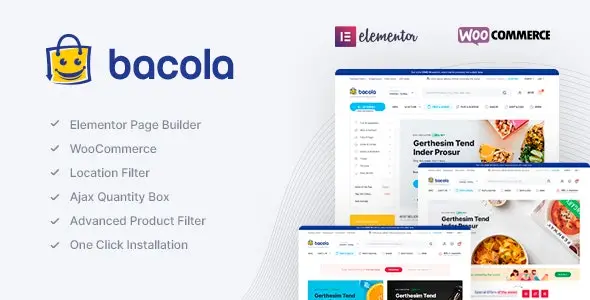
- Elementor Page Builder
- WooCommerce ready
- Dokan (Multi Vendor Plugin) ready
- WC Marketplace (Multi Vendor Plugin) ready
- Compatible with RTL(Right to Left Arabic)
- Location Filter ready
- Popup Location Filter ready
- Added to Cart Ajax Popup Notice ready
- Quantity Field for Product Box ready
- Load More Pagination Ajax ready
- Infinite Scroll Pagination Ajax ready
- Quick View ready
- Order on WhatsApp ready
- AJAX Shop Filters ready
- AJAX Product Search ready
- AJAX Add to Cart For Variable & Grouped Products ready
- AJAX Remove From Cart ready
- Wishlist ready
- Mobile Bottom Menu ready
- Recently Viewed Products ready
- Side Cart ready
- Min/Max Quantity Option ready
- Min Order Amount ready
- Catalog Mode ready
- Single Mobile Sticky Add to Cart ready
- Single Product Stock Progress Bar ready
- Single Product Time Countdown ready
- Buy Now Button ready
- Product Image Zoom ready
- Product Video (Youtube and Vimeo) ready
- Product Mobile Filters ready
- Product Category Filters ready
- Product Status (Stock/On Sale) ready
- Product Filter by Color
- Product Filter by Brand
- Sticky Add to Cart for mobile ready
- Order Tracking ready
- GDPR ready
- Popup Newsletter ready
- Video Tutorials ready
- WOOCS Multi Currency ready
- WPML(Multilanguage) supported
- Polylang(Multilanguage) supported
- Loco Translate supported
- Contact Form 7
- Metabox supported
- Total Cache Config file for quick theme cache and speed options
- Google Web Fonts
- Blog ready
- .POT for all languages – Multi language
- 7/24 fast support
- Oneclick demodata installer and XML
- Oneclick theme update
- Parallax background image and video supported
- Flat Design
- Fully Customizable
- Retina Ready
- Unlimited sidebar
- Unlimited background
- Unlimited color
- Well Documentation
- Fully Responsive
- Free Update
- Seo Optimized
- Fast Performance
- Documentation
- 1400+ Font Icons
- Google Fonts
- Google Maps
- HTML5 & CSS3
- Based on Bootstrap
- Based on jQuery
- Parallax Effect
- Animate Library
- Carousels
- Social Icons
- Breadcrumbs
- Clients Logos
- Testimonials
- Team Members
- Tabs
- Buttons
- Progress Bars
- Pagination
- Accordions
- Alerts
- Counters
- Gallery
- Media Embeds
- Columns
- Video
- Lists
- Headings
- Text Styles
- Code Blocks
- Address
- Blockquotes
🔹 FOR WORDPRESS THEMES
HOW TO USE
- After Purchase on wpmagicclick.com.ng
- Login to wpmagicclick.com.ng
- Go to your My account
- Go to Download
- Download the plugin ZIP file.
- Go to WordPress Dashboard
- Appearance
- Themes
- Add New
- Upload Theme.
- Upload the ZIP File
- Click Install
- Activate after Installation
- Import demo content (if included).
- Customize via Appearance → Customize or Elementor.
🔹 FOR WORDPRESS PLUGINS HOW TO USE
- After Purchase on wpmagicclick.com.ng
- Login to wpmagicclick.com.ng
- Go to your My account
- Go to Orders
- Download the plugin ZIP file.
- Login to Your WordPress Dashboard
- Go to Plugins
- Add New
- Upload Plugin.
- Upload the ZIP and click Install → Activate.
- Open the plugin settings from the left sidebar menu.
- Configure options and start using.



