
Basel – Responsive eCommerce Theme |vs5.9.3
₦5,500.00
- Quality assurance by WPMagic Click
- Free future updates
- Fast download
- Priority support

Basel Responsive eCommerce Theme
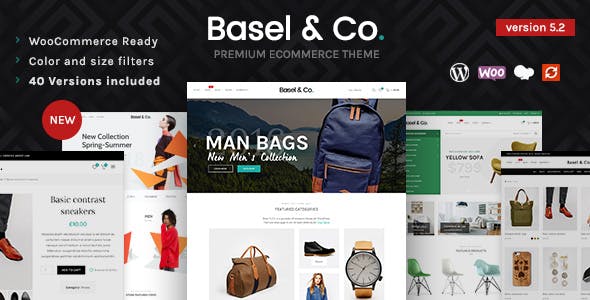
Basel Responsive eCommerce Theme is a professional minimalist AJAX responsive theme built to create modern powerful e-commerce web-site. Using popular Drag & Drop page builder, a lot of theme settings and options, premium sliders and WooCommerce, with Basel Responsive eCommerce Theme you are able to create a heavy store that looks perfect on any screen resolution. The Basel Responsive eCommerce Theme is suitable for any kind of shops like cloth, electronics, furniture, accessories, flowers or any other.
Full Basel Responsive eCommerce Theme features list
WooCommerce Integrated Theme
WPBakery Drag & Drop page builder
100% Fully Responsive Theme
WordPress 4.7+ support
Translations Ready
Lifetime Updates
Easy Installation and setup
Clean and commented code
PHP Object-Oriented standards
Minified JS files
Cross Browser Compatibility: FireFox, Safari, Chrome, IE10, IE11
Custom CSS in theme options
AJAX Shop filters
AJAX Search
WooCommerce attributes swatches
Swatches on shop page
Mega menu
Dark version
RTL Support
BUILT IN PLUGINS
– WPBakery Page Builder included
– MailChimp Newsletter Support
– Revolution Slider included
Full WooCommerce support
WishList plugin included
Contact Form 7 compatible
One-click demo data installation
WPML Ready for translations (plugin is not included)
Custom WPBakery Page Builder elements (shortcodes)
Child Theme Included
Demo content included (xml files)
Mobile side navigation
Advanced Theme Options (based on Redux Framework)
4 general layouts
– Wide
– Boxed
– Boxed small
– Full width
3 sidebar layouts
– Left Sidebar
– Rights Sidebar
– Full width
Different sidebar width
Advanced page heading settings
Full width sections
6 Headers types
Sticky header
Transparent header
Header background
Header color scheme
Top Bar color schemes
2 icon fonts for headers
– Font Awesome
– Line Icons
Styles for shopping cart widget
10+ Footer layouts
Footer color scheme
Copyrights area (2 layouts)
Prefooter area
Custom Typography (All google fonts included)
Unlimited colors
4 Blog styles
Different blog styles for categories option
Share buttons for blog posts
Author biography section
Related posts Slider
7 Portfolio styles
Full width portfolio
Portfolio columns 2 3 4 6
Portfolio spacing 0, 2, 5, 10, 20 or 30 pixels
Portfolio filters color schemes
Products sliders
🔹 FOR WORDPRESS THEMES
HOW TO USE
- After Purchase on wpmagicclick.com.ng
- Login to wpmagicclick.com.ng
- Go to your My account
- Go to Download
- Download the plugin ZIP file.
- Go to WordPress Dashboard
- Appearance
- Themes
- Add New
- Upload Theme.
- Upload the ZIP File
- Click Install
- Activate after Installation
- Import demo content (if included).
- Customize via Appearance → Customize or Elementor.
🔹 FOR WORDPRESS PLUGINS HOW TO USE
- After Purchase on wpmagicclick.com.ng
- Login to wpmagicclick.com.ng
- Go to your My account
- Go to Orders
- Download the plugin ZIP file.
- Login to Your WordPress Dashboard
- Go to Plugins
- Add New
- Upload Plugin.
- Upload the ZIP and click Install → Activate.
- Open the plugin settings from the left sidebar menu.
- Configure options and start using.
✓ Quality assurance by WPMagic Click
✓ Free future updates
✓ Fast download
✓ Priority support
::::::::::::::::::::::::::::::::::::::::::::::::::::::::::
| Last Update | 7 December 2025 |
| Live Preview: | Here |
| License | GPL |
| Published | 5 Years ago |
::::::::::::::::::::::::::::::::::::::::::::::::::::::::::



