Avas MultiPurpose WordPress Theme I vs 6.9.1
₦5,500.00
- Quality assurance by WPMagic Click
- Free future updates
- Fast download
- Priority support

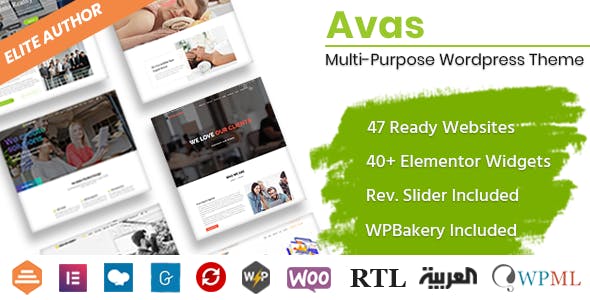
Avas MultiPurpose WordPress Theme
Avas MultiPurpose WordPress Theme is a theme with lightweight and less plugins. Avas MultiPurpose WordPress Theme is Ready to use for any purpose such as Business, Finance, Corporate, Agency, Portfolio, App, News, Blog, Magazine, Cleaning services, Construction, Designs, Freelancer, Wedding, Restaurant, Education, Charity, Shop, Mechanic, Moving, Covid-19 Coronavirus, Resume, Startup, Creative, Architecture, Consultant, Kindergarten, Travel, Insurance, Lawyer, Medical, Hosting, Fitness, Gym, Spa, SEO, Pinterest Style, ICO Cryptocurrency, Crypto News, Photographer, Website Builder, Website Solution, Barber Shop, Driving School, Nice & Clean, Music Band, Chef, Tattoo Parlour and many more.
Avas MultiPurpose WordPress Theme Features:
- Built with Redux Framework for easy customization and endless options.
- Built with Twitter Bootstrap.
- Elementor Page Builder included which is the best light weight page builder won’t make your page slow. It has many ready-made templates. You can create nicer page within minutes.
- SEO optimized for search engine recognizably.
- 100% responsive, performs beautifully on all devices.
- Smooth parallax effect.
- Avas MultiPurpose WordPress Theme have a beautiful portfolio galleries, optimized for desktop, laptop, tablet and mobile devices.
- Google Font, Font Awesome, Flaticon and Icomoon font icon integrated.
- Fully integrated Contact Form 7 with CSS Style ready.
- Responsive sticky header with menu.
- Left – Right Sidebar blog layouts.
- Filterable portfolio layouts to choose of three columns grid, four columns grid and pagination.
- Translation Ready – You can translate the theme to your own Language.
- WPML Ready
- WordPress theme Customizer support.
All you need for your Business is possible with Avas MultiPurpose WordPress Theme
🔹 FOR WORDPRESS THEMES
HOW TO USE
- After Purchase on wpmagicclick.com.ng
- Login to wpmagicclick.com.ng
- Go to your My account
- Go to Download
- Download the plugin ZIP file.
- Go to WordPress Dashboard
- Appearance
- Themes
- Add New
- Upload Theme.
- Upload the ZIP File
- Click Install
- Activate after Installation
- Import demo content (if included).
- Customize via Appearance → Customize or Elementor.
🔹 FOR WORDPRESS PLUGINS HOW TO USE
- After Purchase on wpmagicclick.com.ng
- Login to wpmagicclick.com.ng
- Go to your My account
- Go to Orders
- Download the plugin ZIP file.
- Login to Your WordPress Dashboard
- Go to Plugins
- Add New
- Upload Plugin.
- Upload the ZIP and click Install → Activate.
- Open the plugin settings from the left sidebar menu.
- Configure options and start using.