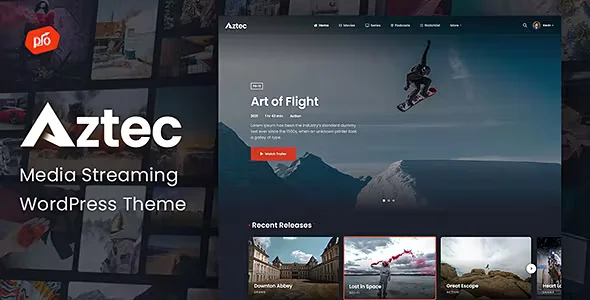
Aztec Video Streaming and Membership Theme | v4.2
₦5,500.00
- Quality assurance by WPMagic Click
- Free future updates
- Fast download
- Priority support

Description
Aztec Video Streaming and Membership Theme
Aztec Video Streaming and Membership Theme is an easy-to-use video and audio streaming WordPress Theme. When purchasing Aztec Video Streaming and Membership Theme, you will receive a detailed help file along with advanced features like an eCommerce Membership Platform, Video Player and Drag & Drop Page Builder.
Aztec Video Streaming and Membership Theme Key Features
- ARMember Membership Plugin Included – A One Stop Solution to sell WordPress subscriptions, user registration, user profiles and lot more without any coding!
- Boosted Elements Add-on included – Easily create sliders, maps, popups & more with this premium plugin
- Header Builder – Edit your header & footer with the page builder
- Drag & Drop Page Builder – Easily build your website using a drag & drop page builder
- Demo Content Included – Get your website up and running within minutes using our demo importer
- eCommerce Support – Start accepting payments directly with the built-in eCommerce functionality (Free Trials, One Time Payments, Recurring, & More).
- Pay Per Post Ability – With this feature, you can sell post separately without creating plan(s).
- Restricted Pages/Content – Easily restrict access to pages or the entire site with the built-in content restriction tools.
- Video Player Included – This theme has a built-in Video Player that supports locally hosted videos, Youtube, & Vimeo
- Third Party Video/Audio Player Support – This theme has support for third party video/audio players as well as embed code
- Watchlist – Users are able to add videos to their watchlist
- Video Rating System – Users can add ratings as well as detailed reviews
- Advanced Search – Aztec includes a custom search engine to easily find videos
- Seasons/Episodes – Add unlimited seasons & episodes to your videos
- Responsive Layout – Ensuring your website looks great on any device from mobile to desktop
- Advanced Theme Options – Change the look of the site from our front-end theme customizer
- Font Adjusting – Easily adjust the fonts within the theme with our robust theme customizer
- Mega Menus – This theme has built-in support for drop-downs and mega menus
- Sticky Header – The header can be fixed to the top of the browser so it is visible at all times
- Contact Forms– Build and display multiple contact forms with the Contact Form included with our theme
- Translation Ready – Translate this theme into any language easily
- Retina Support – This theme is optimized for high resolution displays like the iPhone and iPad
- Photoshop Files Included – This theme includes photoshop files of the logo and design
- Top Notch Support – We provide great support for all of our themes
Additional Membership Features
- Multiple payment gateways accepted (PayPal, Stripe, Authorize.net, 2Checkout, Bank Transfer)
- Additional premium gateways supported (Square, Skrill, Mollie, Paystack, Pagseguro, PayUMoney, Online Worldpay, Razorpay, Payfast)
- Unlimited plans with optional trial periods
- Easy member management with custom login/registration forms
- Content restriction flexibility
- Pay Per Post
- Periodic billing
- Drip content facility
- Social Networks login/connect
- Member profiles
- Exclusive coupon management
- Opt-ins (email marketers)
- Built in modal form support
- Developer friendly API
Buy Now Aztec Video Streaming and Membership Theme!
How To Use
🔹 FOR WORDPRESS THEMES
HOW TO USE
- After Purchase on wpmagicclick.com.ng
- Login to wpmagicclick.com.ng
- Go to your My account
- Go to Download
- Download the plugin ZIP file.
- Go to WordPress Dashboard
- Appearance
- Themes
- Add New
- Upload Theme.
- Upload the ZIP File
- Click Install
- Activate after Installation
- Import demo content (if included).
- Customize via Appearance → Customize or Elementor.
🔹 FOR WORDPRESS PLUGINS HOW TO USE
- After Purchase on wpmagicclick.com.ng
- Login to wpmagicclick.com.ng
- Go to your My account
- Go to Orders
- Download the plugin ZIP file.
- Login to Your WordPress Dashboard
- Go to Plugins
- Add New
- Upload Plugin.
- Upload the ZIP and click Install → Activate.
- Open the plugin settings from the left sidebar menu.
- Configure options and start using.
| Version | v4.2 |
| Last Update | 01 Apr 2025 |
| Live Preview | Here |
| License | GPL |
| Domain Usage | Unlimited |
Update Notification