CareerUp – Job Board Premium WordPress Theme | vs 2.3.47
₦5,500.00
- Quality assurance by WPMagic Click
- Free future updates
- Fast download
- Priority support

CareerUp Job Board Theme
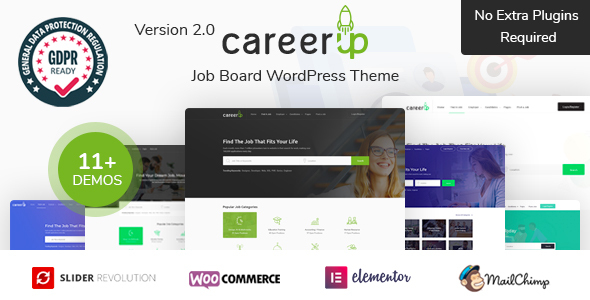
CareerUp Job Board Themee is a complete Job Board WordPress theme that allows you to create a useful and easy to use job listings website . Using CareerUp Job Board Theme, you can create a complete & fully Responsive job portal, career platform to run human resource management, recruitment or job posting website. CareerUp is not just a job board theme, it’s the best WordPress job portal template choice for anyone who wants a simple job script that makes money.
CareerUp Job Board Theme Features
- Restrict Job
– View job page:- All (Users, Guests)
- All Register Users
- Register Candidates (All registered candidates can view jobs.)
- Always Hidden
- Restrict Candidate
– View candidate page:- All (Users, Guests)
- All Register Users
- Only Applicants (Employer can view only their own applicants candidates.)
- Register Employers (All registered employers can view candidates.)
- Register Employers with package (Registered employers who purchased CV Package can view candidates.)
– View candidate contact info:
- All (Users, Guests)
- All Register Users
- Only Applicants (Employer can view only their own applicants candidates.)
- Register Employers (All registered employers can view candidates.)
- All users can view candidate, but only employers with package can see contact info (Users who purchased Contact Package can see contact info.)
- Restrict Employer
– View candidate page:- All (Users, Guests)
- All Register Users
- Only Applicants (Candidate can view only their own applicants employers.)
- Register Candidates (All registered candidates can view employers.)
- Always Hidden
– View candidate contact info:
- All (Users, Guests)
- All Register Users
- Only Applicants (Candidate can view only their own applicants employers.)
- Register Candidates (All registered candidates can view employers.)
- Always Hidden
- Add a job in frontend
- Highly Customizable
- Extensive Admin Interface
- One click Demo Import
- No coding knowledge required
- Page Templates
- Responsive & Retina Ready
- Large collection of useful inner pages
- Choose your grid size
- Boxed layout option
- Powerful typography options
- Translation ready
- WooCommerce compatible
- Powerful sorting options for job listings and resumes
- Multiple ways of showcasing job listings and resumes
- Listing List shortcode
- Listing Search shortcode
- Listing Advanced Search shortcode
- Listing Simple Search shortcode
- Resume List shortcode
- Resume Advanced Search shortcode
- User login
- User Dashboard page template
- Facebook, Google, Twitter, LinkedIn login
- Facebook, Google, Twitter, LinkedIn apply job
- Pricing Tables shortcode
- Comparison Pricing Tables shortcode
- Smooth Page Transitions
- Fontawsome & Flaticon
- User Login Form
Buy today and enjoy
🔹 FOR WORDPRESS THEMES
HOW TO USE
- After Purchase on wpmagicclick.com.ng
- Login to wpmagicclick.com.ng
- Go to your My account
- Go to Download
- Download the plugin ZIP file.
- Go to WordPress Dashboard
- Appearance
- Themes
- Add New
- Upload Theme.
- Upload the ZIP File
- Click Install
- Activate after Installation
- Import demo content (if included).
- Customize via Appearance → Customize or Elementor.
🔹 FOR WORDPRESS PLUGINS HOW TO USE
- After Purchase on wpmagicclick.com.ng
- Login to wpmagicclick.com.ng
- Go to your My account
- Go to Orders
- Download the plugin ZIP file.
- Login to Your WordPress Dashboard
- Go to Plugins
- Add New
- Upload Plugin.
- Upload the ZIP and click Install → Activate.
- Open the plugin settings from the left sidebar menu.
- Configure options and start using.
✓ Quality assurance by WPMagic Click
✓ Free future updates
✓ Fast download
✓ Priority support
::::::::::::::::::::::::::::::::::::::::::::::::::::::::::
| Last Update | 18 July, 2025 |
| Live Preview: | Here |
| License | GPL |
::::::::::::::::::::::::::::::::::::::::::::::::::::::::::