HurryTimer Pro – WordPress Plugin | vs2.17.3
₦5,500.00
- Quality assurance by WPMagic Click
- Free future updates
- Fast download
- Priority support

Description
HurryTimer Pro WordPress Plugin
HurryTimer Pro – The Powerful Multi-Purpose Countdown Timer for WordPress
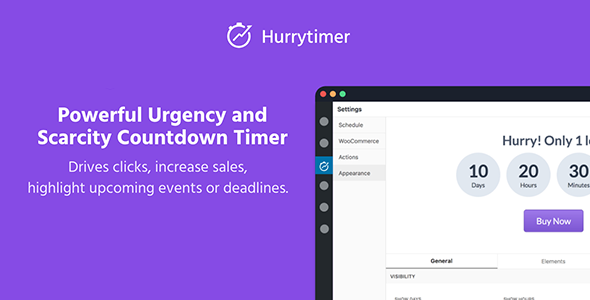
Create urgency and scarcity that drives clicks, increases sales, highlights upcoming events or deadlines.
Built for Marketers to Maximize Conversions
- Show unique countdown timer for each visitor
Give each visitor their own unique countdown timer regardless of their local timezone and the moment they visited your site. - Recurring Campaigns
Recurring campaigns are self repeating countdown timers that run according to a set of rules. It’s great way for telling customers about shipping cut-off times to get them to checkout faster. - Fixed Deadline Campaigns
Run campaign between two fixed dates. No matter who visits your site the countdown timer is the same. It’s a great way for event-based sales with a firm deadline. - Integrated with WooCommerce
Easily display a countdown timer on the product page to drive more add to cart button clicks. - Expiry Actions
Take action when time is up: Redirect to another page, hide countdown timer, display custom message, expire coupon code, change stock status, Hide “Add to cart” button - Sticky Announcement Bar
Keep your promotions top-of-mind by displaying the countdown timer in a customizable and mobile-friendly bar that sticks to the top or bottom of any page. - Customize to fit your site design
Visually customize the countdown timer style to fit your site’s design and your marketing strategy. - Custom CSS
Add your own CSS code to take control on your countdown timer’s appearance.
Buy HurryTimer Pro Now !
How To Use
🔹 FOR WORDPRESS THEMES
HOW TO USE
- After Purchase on wpmagicclick.com.ng
- Login to wpmagicclick.com.ng
- Go to your My account
- Go to Download
- Download the plugin ZIP file.
- Go to WordPress Dashboard
- Appearance
- Themes
- Add New
- Upload Theme.
- Upload the ZIP File
- Click Install
- Activate after Installation
- Import demo content (if included).
- Customize via Appearance → Customize or Elementor.
🔹 FOR WORDPRESS PLUGINS HOW TO USE
- After Purchase on wpmagicclick.com.ng
- Login to wpmagicclick.com.ng
- Go to your My account
- Go to Orders
- Download the plugin ZIP file.
- Login to Your WordPress Dashboard
- Go to Plugins
- Add New
- Upload Plugin.
- Upload the ZIP and click Install → Activate.
- Open the plugin settings from the left sidebar menu.
- Configure options and start using.