LatePoint – Booking and Reservation | v5.6.1

₦5,500.00
- Quality assurance by WPMagic Click
- Free future updates
- Fast download
- Priority support

LatePoint – Appointment Booking & Reservation
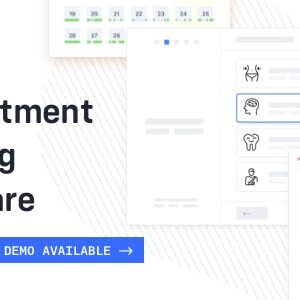
Meet LatePoint is a simple and intuitive appointment booking plugin that is focused on your customers, making it incredibly simple to schedule an appointment with just a couple of clicks. We are experts in User Interface design, with 15+ years of experience, tens of thousands of customers are using our products to improve their business.
LatePoint – Booking and Reservation Setup in 5 minutes or less
LatePoint have an special Setup Wizard, that helps you get through setup process in less than 5 minutes, create agents, add services and set working hours. And that’s it, then just insert the booking shortcode button anywhere on your page and your customers will be able to book appointments right away.
Social Login Available
Make it easy for your customers by allowing them logging in using popular social networks to pre-fill their name/email/phone information. Once they create an account, they can manage their reservations online. LatePoint is amazing.
LatePoint Have a Powerful Admin reporting
LatePoint have a clean and modern admin dashboard for company owners to easily see reports of agent performance and manage services and customers.
🔹 FOR WORDPRESS THEMES
HOW TO USE
- After Purchase on wpmagicclick.com.ng
- Login to wpmagicclick.com.ng
- Go to your My account
- Go to Download
- Download the plugin ZIP file.
- Go to WordPress Dashboard
- Appearance
- Themes
- Add New
- Upload Theme.
- Upload the ZIP File
- Click Install
- Activate after Installation
- Import demo content (if included).
- Customize via Appearance → Customize or Elementor.
🔹 FOR WORDPRESS PLUGINS HOW TO USE
- After Purchase on wpmagicclick.com.ng
- Login to wpmagicclick.com.ng
- Go to your My account
- Go to Orders
- Download the plugin ZIP file.
- Login to Your WordPress Dashboard
- Go to Plugins
- Add New
- Upload Plugin.
- Upload the ZIP and click Install → Activate.
- Open the plugin settings from the left sidebar menu.
- Configure options and start using.
| Version | 5.6.1 |
| Last Update | 29 May 2026 |
| Live Preview | Here |
| License | GPL |
| Domain Usage | Unlimited |