Listeo – Directory And Listings With Booking Theme |vs2.0.34
₦5,500.00
- Quality assurance by WPMagic Click
- Free future updates
- Fast download
- Priority support

Listeo Directory And Listings Theme
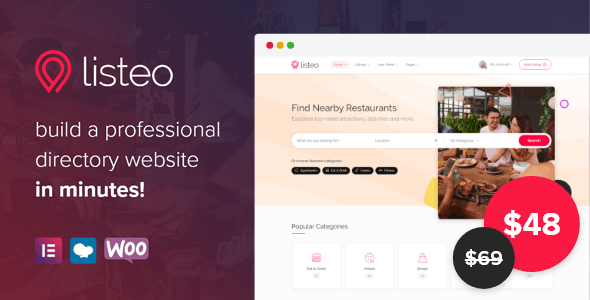
Listeo is all-in-one WordPress directory theme with front-end user dashboard, built-in booking system, private messagging and many more gorgeous features!
No paid extentions and no coding knowledge required.
Build a professional directory & classifieds website similar to TripAdvisor, Yelp, Airbnb, Booking.com, Tripping, FlipKey, HomeAway or similar in minutes!
User Dashboard
Listeo Directory And Listings Theme features user friendly front-end dashboard where listings, bookings, packages, profile details and private messages can be easily managed.
Listeo Directory And Listings Theme Advanced Booking System
- Renting Users can choose check in & out date, guests amount and send a request to the host to book a reservation.Once the host accepts request user can be charged for the entire amount at reserved time. Host can manage calendar availability and set different prices for specific days.
- Services Through Listeo Directory And Listings Theme users can reserve spots at e.g. restaurants, car washes, barbers etc. They can choose date and time slot or specific hour if time slots are non set by host. They can be also charged for reservation.
- Events Online ticketing system for any type of venue or event. Users can add event listings on your website while also sell tickets for those events.
Monetize Your Website
Making money from your website isn’t a myth anymore and it’s doable by everyone. With Listeo Directory And Listings Theme you can charge your customers per listing submission, offer packages or monthly subscription – the choice is yours.
and more…
🔹 FOR WORDPRESS THEMES
HOW TO USE
- After Purchase on wpmagicclick.com.ng
- Login to wpmagicclick.com.ng
- Go to your My account
- Go to Download
- Download the plugin ZIP file.
- Go to WordPress Dashboard
- Appearance
- Themes
- Add New
- Upload Theme.
- Upload the ZIP File
- Click Install
- Activate after Installation
- Import demo content (if included).
- Customize via Appearance → Customize or Elementor.
🔹 FOR WORDPRESS PLUGINS HOW TO USE
- After Purchase on wpmagicclick.com.ng
- Login to wpmagicclick.com.ng
- Go to your My account
- Go to Orders
- Download the plugin ZIP file.
- Login to Your WordPress Dashboard
- Go to Plugins
- Add New
- Upload Plugin.
- Upload the ZIP and click Install → Activate.
- Open the plugin settings from the left sidebar menu.
- Configure options and start using.