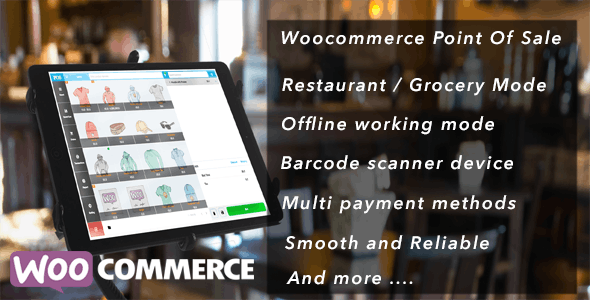
Openpos – WooCommerce Point Of Sale | vs 8.1.3
₦5,500.00
- Quality assurance by WPMagic Click
- Free future updates
- Fast download
- Priority support

OpenPOS – WooCommerce Point of Sale System
OpenPOS is a powerful and feature-rich Point of Sale (POS) plugin designed specifically for WooCommerce. It seamlessly integrates with your online store, allowing you to sell in physical locations while keeping inventory, orders, and customers fully synchronized in real time.
Whether you run a retail shop, restaurant, café, salon, supermarket, or rental business, OpenPOS provides everything you need to operate a fast, reliable, and modern POS system — with no monthly fees.
Key Highlights
- No monthly subscription (hosted on your WooCommerce site)
- Progressive Web App (PWA) – works like a native desktop/mobile app
- Online & offline mode with automatic synchronization
- Supports multiple business types (Retail, Restaurant, Salon, Rental)
- High Performance Order Storage (HPOS) compatible
Sales & Checkout Features
- Fast POS interface with multi-cart checkout
- Split payments & multiple payment methods
- Item-level & cart-level discounts
- Coupon support
- LayBuy (Buy Now, Pay Later)
- Refunds, partial refunds & product exchanges
Inventory & Product Management
- Real-time stock synchronization with WooCommerce
- Multi-warehouse (outlets) support
- Barcode scanning (hardware, camera & QR code)
- Weight-based pricing & digital scale support
- Decimal stock & negative quantity support
- Product search by name, SKU, or barcode
Restaurant & Café Mode
- Table management (merge, transfer, split)
- Kitchen Display Screen (KDS)
- Real-time order sync between waiters & kitchen
- No-touch order processing
- Order notes & item notes
Business Management
- Multi-register & multi-cashier support
- Secure cashier login & session control
- Cash management
- Sales & transaction reports
- Receipt printing & email receipts
- Barcode & label printing
WooCommerce Compatibility
- Compatible with WooCommerce Product Add-Ons
- Supports WooCommerce Product Bundles
- Works with simple, variable & complex products
Why Choose OpenPOS?
OpenPOS turns your WooCommerce store into a complete in-store POS solution, helping you deliver faster checkouts, accurate inventory tracking, and seamless integration between online and offline sales.
Ideal for retailers, restaurants, cafés, salons, supermarkets, bars, clothing stores, and more.
🔹 FOR WORDPRESS THEMES
HOW TO USE
- After Purchase on wpmagicclick.com.ng
- Login to wpmagicclick.com.ng
- Go to your My account
- Go to Download
- Download the plugin ZIP file.
- Go to WordPress Dashboard
- Appearance
- Themes
- Add New
- Upload Theme.
- Upload the ZIP File
- Click Install
- Activate after Installation
- Import demo content (if included).
- Customize via Appearance → Customize or Elementor.
🔹 FOR WORDPRESS PLUGINS HOW TO USE
- After Purchase on wpmagicclick.com.ng
- Login to wpmagicclick.com.ng
- Go to your My account
- Go to Orders
- Download the plugin ZIP file.
- Login to Your WordPress Dashboard
- Go to Plugins
- Add New
- Upload Plugin.
- Upload the ZIP and click Install → Activate.
- Open the plugin settings from the left sidebar menu.
- Configure options and start using.
✓ Quality assurance by WPMagic Click
✓ Free future updates
✓ Fast download
✓ Priority support
::::::::::::::::::::::::::::::::::::::::::::::::::::::::::
| LAST UPDATE | 18 Dec, 2025 |
| LIVE PREVIEW: | HERE |
| LICENSE | GPL |
::::::::::::::::::::::::::::::::::::::::::::::::::::::::::