Residence Real Estate WordPress Theme I vs 5.5.0
₦5,500.00
- Quality assurance by WPMagic Click
- Free future updates
- Fast download
- Priority support

Residence Real Estate WordPress Theme
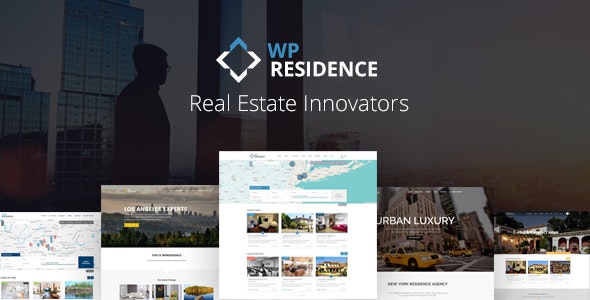
Residence Real Estate WordPress Theme is a premium theme designed for independent agents and agencies or companies that want users, agents, agencies or developers to register and submit their properties for free, for a fee, or based on a subscription.
The Residence Real Estate WordPress Theme has all the flexibility you need to provide the best user experience. Over 400 neatly organized theme options are included in Residence Real Estate WordPress Theme to help you create a unique and modern real estate website. 12 pre-made demos are available to get you started in seconds. All available demos are created with theme admin options which you can enable/disable easily.
Residence Real Estate WordPress Theme is Translated in 32 Languages:
Arabic, Bulgarian, Czech, German, Greek, Spanish, French, Hebrew, Hindi, Croatian, Hungarian, Indonesian, Islenka, Italian, Japanese, Korean, Dutch, Nederlands (België), Polish, Portuguese, Romanian, Russian, Slovak, Slovenščina, Serbian, Svenska, Russian, Thai, Turkish, Urdu – Pakistan, Vietnamese, Simplified Chinese. Some translations may require edits, which can be easily done from the wp-admin dashboard.
🔹 FOR WORDPRESS THEMES
HOW TO USE
- After Purchase on wpmagicclick.com.ng
- Login to wpmagicclick.com.ng
- Go to your My account
- Go to Download
- Download the plugin ZIP file.
- Go to WordPress Dashboard
- Appearance
- Themes
- Add New
- Upload Theme.
- Upload the ZIP File
- Click Install
- Activate after Installation
- Import demo content (if included).
- Customize via Appearance → Customize or Elementor.
🔹 FOR WORDPRESS PLUGINS HOW TO USE
- After Purchase on wpmagicclick.com.ng
- Login to wpmagicclick.com.ng
- Go to your My account
- Go to Orders
- Download the plugin ZIP file.
- Login to Your WordPress Dashboard
- Go to Plugins
- Add New
- Upload Plugin.
- Upload the ZIP and click Install → Activate.
- Open the plugin settings from the left sidebar menu.
- Configure options and start using.