San Francisco – IT Technology and Creative Theme | vs 1.29
₦5,500.00
- Quality assurance by WPMagic Click
- Free future updates
- Fast download
- Priority support

San Francisco IT Technology and Creative Theme
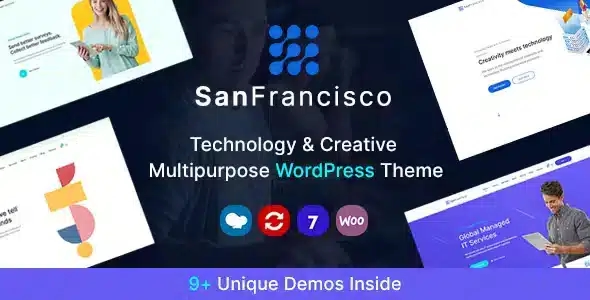
San Francisco is a modern and versatile WordPress theme designed for IT technology companies, creative agencies, and startups. This theme offers a clean, professional design with a focus on showcasing your services, projects, and team in an engaging manner. It’s perfect for businesses looking to create a strong online presence that highlights their expertise and innovation.
What is San Francisco IT Technology and Creative Theme?
San Francisco is a professional-grade WordPress theme that provides a suite of features and tools tailored for IT technology companies, creative agencies, and startups. With this theme, you can easily create a visually appealing and functional website that highlights your services, projects, and team. It offers a user-friendly interface and a range of customization options to ensure your website aligns with your brand and business goals.
Key Benefits of San Francisco IT Technology and Creative Theme
- Modern and Clean Design: Offers a modern and clean design that enhances your brand’s image and makes a strong impression on visitors.
- Easy Customization: Provides extensive customization options, allowing you to tailor the appearance and functionality of your website to match your unique style and requirements.
- User-Friendly: Features an intuitive interface for easy setup and management, making it accessible for users of all skill levels.
- Responsive Design: Ensures that your website is fully responsive and provides a consistent experience across all devices, including desktops, tablets, and smartphones.
Highlighted Features of San Francisco IT Technology and Creative Theme
San Francisco includes several key features designed to enhance your website and user experience:
- Pre-Designed Demos: Allows you to install pre-designed demos in minutes, helping you launch your website quickly and efficiently.
- Service Showcase: Offers a dedicated section to highlight your services, providing a clear and concise way to inform visitors about what you offer.
- Project Portfolio: Includes a portfolio section to showcase your projects and case studies, allowing you to demonstrate your expertise and past work.
- Team Members: Provides a team members section to introduce your team, building trust and credibility with your audience.
- Responsive Design: Ensures that your website is fully responsive and provides a consistent experience across all devices, including desktops, tablets, and smartphones.
- Compatibility: Seamlessly integrates with WordPress and is compatible with most plugins, ensuring a smooth and reliable performance.
- Advanced Options: Offers advanced options, such as the ability to set custom service rules, control visibility, and integrate with other plugins for extended functionality.
- Detailed Documentation: Comes with comprehensive documentation and support to help you get started and make the most of the theme’s features.
🔹 FOR WORDPRESS THEMES
HOW TO USE
- After Purchase on wpmagicclick.com.ng
- Login to wpmagicclick.com.ng
- Go to your My account
- Go to Download
- Download the plugin ZIP file.
- Go to WordPress Dashboard
- Appearance
- Themes
- Add New
- Upload Theme.
- Upload the ZIP File
- Click Install
- Activate after Installation
- Import demo content (if included).
- Customize via Appearance → Customize or Elementor.
🔹 FOR WORDPRESS PLUGINS HOW TO USE
- After Purchase on wpmagicclick.com.ng
- Login to wpmagicclick.com.ng
- Go to your My account
- Go to Orders
- Download the plugin ZIP file.
- Login to Your WordPress Dashboard
- Go to Plugins
- Add New
- Upload Plugin.
- Upload the ZIP and click Install → Activate.
- Open the plugin settings from the left sidebar menu.
- Configure options and start using.