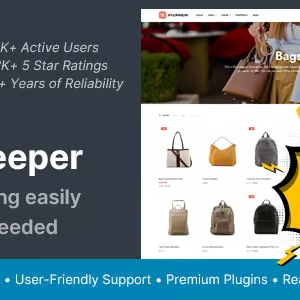
Shopkeeper – eCommerce WordPress Theme |vs 7.9.91

₦5,500.00
- Quality assurance by WPMagic Click
- Free future updates
- Fast download
- Priority support

Shopkeeper eCommerce WordPress Theme
Shopkeeper is a modern and versatile eCommerce WordPress theme designed for online stores and businesses looking to create a professional and engaging shopping experience. Developed by ThemeZee, Shopkeeper offers a range of features and customization options to help you build a unique and functional online store that stands out from the competition. It’s perfect for entrepreneurs, small businesses, and eCommerce professionals seeking to establish a strong online presence.
What is Shopkeeper eCommerce WordPress Theme?
Shopkeeper is a professional-grade WooCommerce theme that provides a suite of tools and features tailored for creating eCommerce websites. With this theme, you can easily create a visually appealing and functional online store that highlights your products, enhances user experience, and drives sales. It offers a user-friendly interface and a range of customization options to ensure your store aligns with your brand and business goals.
Key Benefits of Shopkeeper eCommerce WordPress Theme
- Modern and Clean Design: Offers a contemporary and clean design that enhances your brand’s image and provides a professional look to your online store.
- Easy Customization: Provides extensive customization options, allowing you to tailor the appearance and functionality of your store to match your unique style and requirements.
- User-Friendly: Features an intuitive interface for easy setup and management, making it accessible for users of all skill levels.
- Responsive Design: Ensures that your online store is fully responsive and provides a consistent experience across all devices, including desktops, tablets, and smartphones.
🔹 FOR WORDPRESS THEMES
HOW TO USE
- After Purchase on wpmagicclick.com.ng
- Login to wpmagicclick.com.ng
- Go to your My account
- Go to Download
- Download the plugin ZIP file.
- Go to WordPress Dashboard
- Appearance
- Themes
- Add New
- Upload Theme.
- Upload the ZIP File
- Click Install
- Activate after Installation
- Import demo content (if included).
- Customize via Appearance → Customize or Elementor.
🔹 FOR WORDPRESS PLUGINS HOW TO USE
- After Purchase on wpmagicclick.com.ng
- Login to wpmagicclick.com.ng
- Go to your My account
- Go to Orders
- Download the plugin ZIP file.
- Login to Your WordPress Dashboard
- Go to Plugins
- Add New
- Upload Plugin.
- Upload the ZIP and click Install → Activate.
- Open the plugin settings from the left sidebar menu.
- Configure options and start using.