
Thrive Themes Leads Plugin |vs10.9
₦5,500.00
- Quality assurance by WPMagic Click
- Free future updates
- Fast download
- Priority support

Thrive Themes Leads Plugin
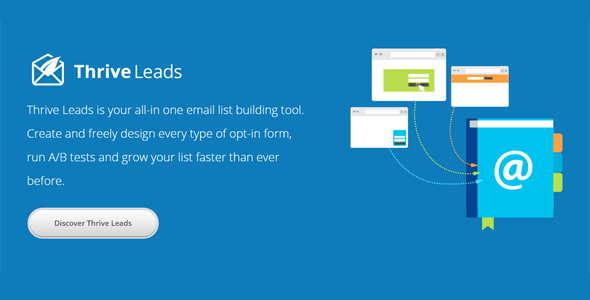
Thrive Themes Leads Plugin is a lead generation plugin for WordPress. That sentence is not wrong, but it barely scratches the surface of what this plugin is about. First and foremost, Thrive Themes Leads Plugin is the list building solution that’s created by a team of people who are obsessed with conversion optimization. Using Thrive Themes Leads Plugin is like having your very own list-building and conversion expert – baked right into a powerful piece of software.
Thrive Themes Leads Plugin is Here
This is not your old-school list building plugin. We’ve taken the most cutting edge conversion tactics used by smart businesses and growth hackers and for the first time ever, those tactics are easy as pie for you to use on your own site. You can finally experience explosive list growth and the amazing business benefits that come with it.
Some Thrive Themes Leads Plugin Features:
- Design & Deploy: Thrive Themes Leads Plugin combines every type of opt-in form you need in one single plugin and gives you a simple drag-and-drop editor to create the perfect design every time.
- Advanced Targeting: Get a massive conversion boost by showing relevant, highly targeted offers to your visitors based on posts, categories, tags and more. Build hyper-targeted and profitable lists.
- A/B Testing Engine:Thrive Themes Leads comes with a highly advanced but very easy to use A/B testing feature. Easily increase your conversions and use the plugin to automatically increase your conversion rate.
- Actionable Reporting & Insights: Thrive Themes Leads gives you a simple overview over the most important metrics. See exactly how your opt-in forms are performing over time and where your most valuable traffic comes from.
and more..
Get Today Thrive Themes Leads Plugin.
If you want to know more about the GNU / GPL license, click here.
🔹 FOR WORDPRESS THEMES
HOW TO USE
- After Purchase on wpmagicclick.com.ng
- Login to wpmagicclick.com.ng
- Go to your My account
- Go to Download
- Download the plugin ZIP file.
- Go to WordPress Dashboard
- Appearance
- Themes
- Add New
- Upload Theme.
- Upload the ZIP File
- Click Install
- Activate after Installation
- Import demo content (if included).
- Customize via Appearance → Customize or Elementor.
🔹 FOR WORDPRESS PLUGINS HOW TO USE
- After Purchase on wpmagicclick.com.ng
- Login to wpmagicclick.com.ng
- Go to your My account
- Go to Orders
- Download the plugin ZIP file.
- Login to Your WordPress Dashboard
- Go to Plugins
- Add New
- Upload Plugin.
- Upload the ZIP and click Install → Activate.
- Open the plugin settings from the left sidebar menu.
- Configure options and start using.




