WP Cerber Security Pro – WordPress Plugin | vs-9.6.10
₦5,500.00
- Quality assurance by WPMagic Click
- Free future updates
- Fast download
- Priority support

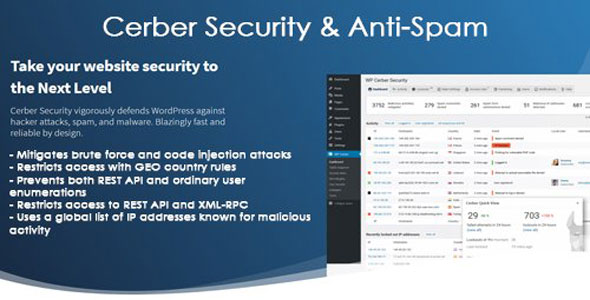
Elevate your WordPress security with WP Cerber Security Pro. This robust plugin delivers comprehensive protection against sophisticated cyber threats.
- Advanced Login Security: Brute force, IP blocking, reCAPTCHA.
- Malware Scanner: Detects and removes malicious code.
- Firewall Protection: Filters bad traffic, blocks threats.
- Hardening Features: Enhances core WordPress security.
- Activity Logging: Monitors user actions and events.
- Geo-Restriction: Blocks access from specific countries.
- Two-Factor Authentication (2FA).
Deploying WP Cerber Security Pro ensures peace of mind, proactively defending against hacking attempts and ensuring data privacy. Ideal for enterprise-grade WordPress protection.
This professional version guarantees ongoing security with regular updates and dedicated support. Easy installation ensures immediate enhanced security and compatibility.
🔹 FOR WORDPRESS THEMES
HOW TO USE
- After Purchase on wpmagicclick.com.ng
- Login to wpmagicclick.com.ng
- Go to your My account
- Go to Download
- Download the plugin ZIP file.
- Go to WordPress Dashboard
- Appearance
- Themes
- Add New
- Upload Theme.
- Upload the ZIP File
- Click Install
- Activate after Installation
- Import demo content (if included).
- Customize via Appearance → Customize or Elementor.
🔹 FOR WORDPRESS PLUGINS HOW TO USE
- After Purchase on wpmagicclick.com.ng
- Login to wpmagicclick.com.ng
- Go to your My account
- Go to Orders
- Download the plugin ZIP file.
- Login to Your WordPress Dashboard
- Go to Plugins
- Add New
- Upload Plugin.
- Upload the ZIP and click Install → Activate.
- Open the plugin settings from the left sidebar menu.
- Configure options and start using.
✓ Quality assurance by WPMagic Click
✓ Free future updates
✓ Fast download
✓ Priority support
::::::::::::::::::::::::::::::::::::::::::::::::::::::::::
| Last Update | |
| Live Preview: | Here |
| License | GPL |
| Published | 5 Years ago |
::::::::::::::::::::::::::::::::::::::::::::::::::::::::::