XStore – Multipurpose WooCommerce Theme | vs 9.6.3
₦5,500.00
- Quality assurance by WPMagic Click
- Free future updates
- Fast download
- Priority support

XStore WooCommerce WordPress Theme
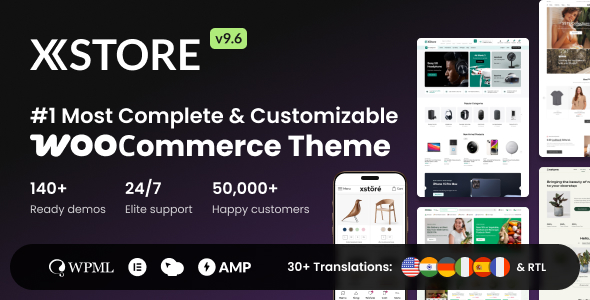
XStore WooCommerce WordPress Theme is intuitive and the most customizable WooCommerce Theme & WordPress for eCommerce carefully developed and includes that set of pages, tools and settings that will help you create a professional looking WooCommerce shop.
XStore WooCommerce WordPress Theme is Here
This elegant and intuitive eCommerce WooCommerce theme is carefully developed and includes that set of pages, tools and settings that will help you create a professional looking and trustworthy online shop.
You can easily import via the most intuitive installer demo for electronics, fashion, furniture, niche store, clothing, glasses, watches, sport, shoes, jewelry, cosmetic, multi-vendor marketplace, medical, food, auto parts, organic, landing page, music shop and other.
Some XStore WooCommerce WordPress Theme Features:
- WordPress 5.6+ Ready
- WooCommerce 4.9+ Ready
- 100+ Good to Go Shops
- Simple and Intuitive Installer
- ELEMENTOR Page Builder custom widgets
- WPBakery Page Builder (formerly Visual Composer) custom shortcodes
- SEO Optimised
- Online Documentation – https://xstore.helpscoutdocs.com/
- Minified JS and CSS Files
- Custom CSS & JS in Theme Settings
- Child Theme included
- demo Content included
- and more…
XStore WooCommerce WordPress Theme also comes with several widgets that will help you improve the user’s perception of your shop.The Theme Options is user-friendly and requires no special knowledge, adding value to a beautifully responsive WooCommerce theme.
🔹 FOR WORDPRESS THEMES
HOW TO USE
- After Purchase on wpmagicclick.com.ng
- Login to wpmagicclick.com.ng
- Go to your My account
- Go to Download
- Download the plugin ZIP file.
- Go to WordPress Dashboard
- Appearance
- Themes
- Add New
- Upload Theme.
- Upload the ZIP File
- Click Install
- Activate after Installation
- Import demo content (if included).
- Customize via Appearance → Customize or Elementor.
🔹 FOR WORDPRESS PLUGINS HOW TO USE
- After Purchase on wpmagicclick.com.ng
- Login to wpmagicclick.com.ng
- Go to your My account
- Go to Orders
- Download the plugin ZIP file.
- Login to Your WordPress Dashboard
- Go to Plugins
- Add New
- Upload Plugin.
- Upload the ZIP and click Install → Activate.
- Open the plugin settings from the left sidebar menu.
- Configure options and start using.
✓ Quality assurance by WPMagic Click
✓ Free future updates
✓ Fast download
✓ Priority support
::::::::::::::::::::::::::::::::::::::::::::::::::::::::::
| Last Update | 15 Dec, 2025 |
| Live Preview: | Here |
| License | GPL |
| Published | 8 Years ago |
::::::::::::::::::::::::::::::::::::::::::::::::::::::::::