
Findgo Directory Listing Theme | v1.3.65
₦5,500.00
- Quality assurance by WPMagic Click
- Free future updates
- Fast download
- Priority support

Description
Findgo Directory Listing Theme
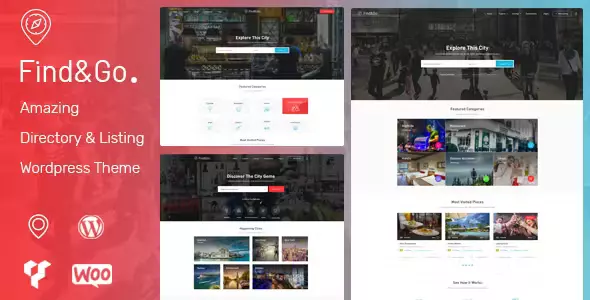
Findgo is a listing directory WordPress theme that will help you create, manage and monetize a local or global directory site. Feel free to set your own goal and get your favourite spots listed online!
Required or Recommended Plugins for FindGo Theme:
- WP Job Manager (required /free) for General Listing Management
- Apus Findgo (required /free)
- WooCommerce (required /free) for Making Money
- CMB2 (free)
- Contact Form 7 (free)
- MailChimp for WordPress (free)
- WordPress Social Login (free)
Premium Plugins Illustrated on Our Demo:
- WooCommerce Bookings (optional) Offer a reservation feature.
- WP Job Manager – WooCommerce Paid Listings (optional)
Findgo Directory Listing Theme Features
- Add a listing in frontend
- Claim a listing
- Make a reservation
- Book an appointment
- 5 Listing Layout (Half Map, Grid, List)
- 5 Listing detail layout
- Add Listing to favorite
- Review listing
- Reply a review
- 6 Homes page layouts
- Footer builder: easy to create or edit footer
- WooCommerce 3.5 Ready
- Fully Responsive, your website will works on almost device
- Multiple blog layouts for your choice
How To Use
🔹 FOR WORDPRESS THEMES
HOW TO USE
- After Purchase on wpmagicclick.com.ng
- Login to wpmagicclick.com.ng
- Go to your My account
- Go to Download
- Download the plugin ZIP file.
- Go to WordPress Dashboard
- Appearance
- Themes
- Add New
- Upload Theme.
- Upload the ZIP File
- Click Install
- Activate after Installation
- Import demo content (if included).
- Customize via Appearance → Customize or Elementor.
🔹 FOR WORDPRESS PLUGINS HOW TO USE
- After Purchase on wpmagicclick.com.ng
- Login to wpmagicclick.com.ng
- Go to your My account
- Go to Orders
- Download the plugin ZIP file.
- Login to Your WordPress Dashboard
- Go to Plugins
- Add New
- Upload Plugin.
- Upload the ZIP and click Install → Activate.
- Open the plugin settings from the left sidebar menu.
- Configure options and start using.
| Version | 1.3.17 |
| Last Update | 29 May 2026 |
| Live Preview | Here |
| License | GPL |
| Domain Usage | Unlimited |
Update Notification



